Symptoms
FileDirector Winclient shows the following error when opening a document:
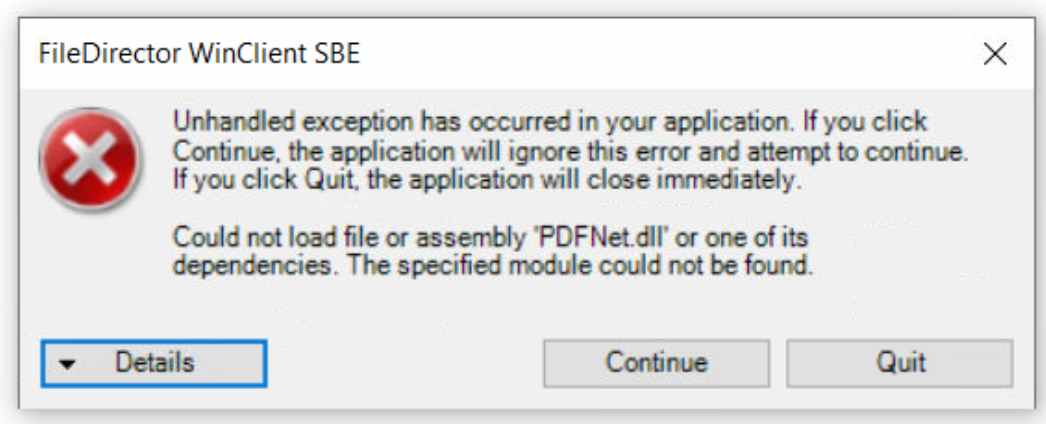
If you 'Quit', the he following Exception may be shown.
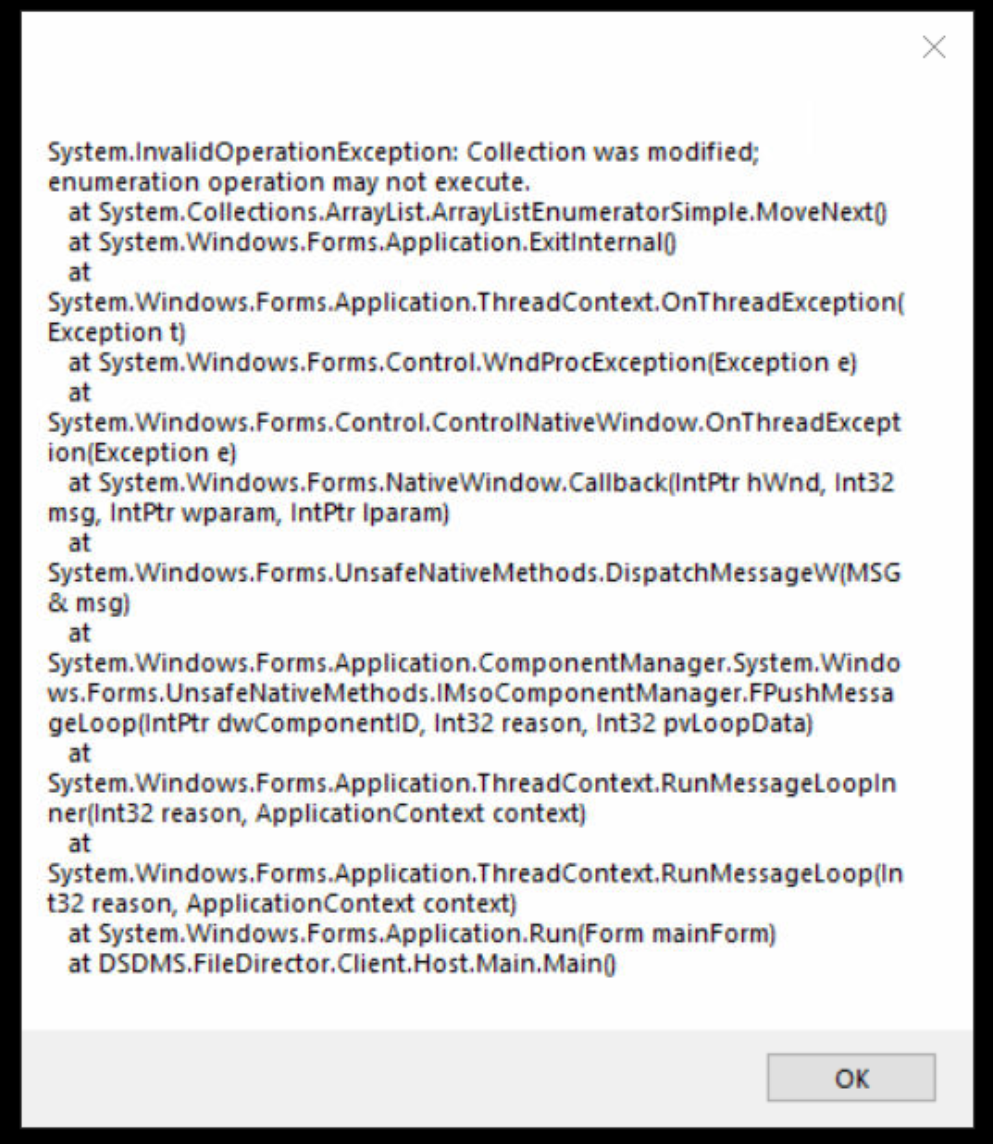
Cause
Missing a VC++ redistributable (32-bit) - often the case when 64-bit OS is used. You can use the following PowerShell script to check installed versions:
$entries = foreach ($p in @(
  'HKLM:\Software\Microsoft\Windows\CurrentVersion\Uninstall\*',
  'HKLM:\Software\WOW6432Node\Microsoft\Windows\CurrentVersion\Uninstall\*'
)) {
  Get-ItemProperty $p -ErrorAction SilentlyContinue |
    Where-Object { $_.DisplayName -like '*Visual C++*' } |
    ForEach-Object {
      [pscustomobject]@{
        DisplayName    = $_.DisplayName
        DisplayVersion = $_.DisplayVersion
        Arch           = if ($p -like '*WOW6432Node*') { 'x86' } else { 'x64' }
      }
    }
}

# Header
Write-Host ("{0,-70} {1,-15} {2}" -f 'DisplayName', 'Version', 'Arch') -ForegroundColor Cyan
Write-Host ("{0,-70} {1,-15} {2}" -f ('-'*70), ('-'*15), ('-'*4))

# Rows
$entries |
  Sort-Object Arch, DisplayName, DisplayVersion |
  ForEach-Object {
    $color = switch ($_.Arch) {
      'x86' { 'Green' }
      'x64' { 'Red' }
      default { 'White' }
    }

    Write-Host (
      "{0,-70} {1,-15} {2}" -f
      $_.DisplayName,
      $_.DisplayVersion,
      $_.Arch
    ) -ForegroundColor $color
  }
The output will show results like this:
Microsoft Visual C++ 2008 Redistributable - x86 9.0.30729.17           9.0.30729       x86
Microsoft Visual C++ 2008 Redistributable - x86 9.0.30729.6161         9.0.30729.6161  x86
Microsoft Visual C++ 2013 Redistributable (x64) - 12.0.30501           12.0.30501.0    x86
Microsoft Visual C++ 2013 Redistributable (x86) - 12.0.30501           12.0.30501.0    x86
Microsoft Visual C++ 2013 x64 Additional Runtime - 12.0.21005          12.0.21005      x64
Microsoft Visual C++ 2013 x64 Minimum Runtime - 12.0.21005             12.0.21005      x64
Microsoft Visual C++ 2013 x86 Additional Runtime - 12.0.21005          12.0.21005      x86
Microsoft Visual C++ 2013 x86 Minimum Runtime - 12.0.21005             12.0.21005      x86
Microsoft Visual C++ 2022 X64 Additional Runtime - 14.50.35719         14.50.35719     x64
Microsoft Visual C++ 2022 X64 Minimum Runtime - 14.50.35719            14.50.35719     x64
Microsoft Visual C++ 2022 X86 Additional Runtime - 14.50.35719         14.50.35719     x86
Microsoft Visual C++ 2022 X86 Minimum Runtime - 14.50.35719            14.50.35719     x86
Microsoft Visual C++ v14 Redistributable (x64) - 14.50.35719           14.50.35719.0   x86
Microsoft Visual C++ v14 Redistributable (x86) - 14.50.35719           14.50.35719.0   x86
Look for results in green - these are 32-bit installations. My output indicates that VC++ 2013 x32 is installed which will work correctly with WinClient.
This is a minimal script to output a non-coloured list:
$entries = foreach ($p in @(
  'HKLM:\Software\Microsoft\Windows\CurrentVersion\Uninstall\*',
  'HKLM:\Software\WOW6432Node\Microsoft\Windows\CurrentVersion\Uninstall\*'
)) {
  Get-ItemProperty $p -ErrorAction SilentlyContinue |
    Where-Object { $_.DisplayName -like '*Visual C++*' } |
    ForEach-Object {
      [pscustomobject]@{
        DisplayName    = $_.DisplayName
        DisplayVersion = $_.DisplayVersion
        Arch           = if ($p -like '*WOW6432Node*') { 'x86' } else { 'x64' }
      }
    }
}

$entries | Sort-Object Arch, DisplayName, DisplayVersion | Format-Table -AutoSize
Resolution
Download the appropriate VC++ redistributable (32-bit) from https://learn.microsoft.com/en-us/cpp/windows/latest-supported-vc-redist
2010 version is supported on Win10, 2013 on Win11. Note that Microsoft is calling EOL on older versions.
Was this article helpful?
That’s Great!
Thank you for your feedback
Sorry! We couldn't be helpful
Thank you for your feedback
Feedback sent
We appreciate your effort and will try to fix the article